
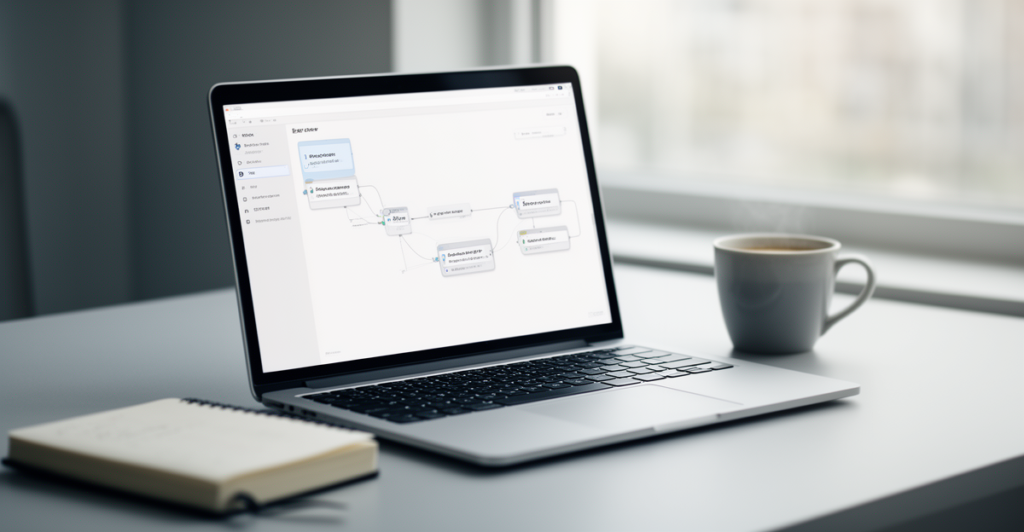
n8n blog automation is a practical way to reduce the busywork around publishing content, without handing over full control to a black-box platform.
Instead of copying and pasting between tools, you can connect your idea capture, outlines, drafts, reviews, and publishing steps into one workflow that runs the same way every time.
This article shows how to plan and build an end-to-end automation in n8n, what to automate first, and where you should keep a human in the loop to protect quality.
You will leave with a clear blueprint you can adapt to your stack, whether you publish weekly, daily, or manage content for multiple sites.
What n8n blog automation actually means (and what it should not)
At its simplest, n8n blog automation means using n8n workflows to move information between your content tools, apply rules, and trigger repeatable steps. Think of it as an assembly line for content operations.
A good automation does not try to replace your editorial judgment. It removes friction: collecting inputs, enforcing a checklist, creating consistent metadata, notifying reviewers, and pushing content to the right destination.
If you try to automate everything, you risk publishing low-quality posts, duplicating topics, or missing brand and compliance checks. The best approach is to automate the predictable parts and keep approvals and final edits human-led.
- Automate: intake, formatting, task creation, reminders, status tracking, asset collection
- Keep human: topic selection, fact-checking, claims, tone, final approval
- Design goal: fewer manual steps and fewer opportunities to forget something
Choose a simple workflow first: idea to scheduled draft
Start with the smallest workflow that still saves meaningful time. A common first win is turning a raw idea into a scheduled draft package with a brief, basic SEO fields, and an assigned owner.
Define your inputs clearly. For example: working title, target audience, search intent, key points, internal links to include, and a deadline. Then decide where those inputs live, such as a form, a spreadsheet, or a database.
Once you have consistent inputs, n8n can validate them, create a draft in your writing system, and notify the right people in the right channel.
- Trigger: new row or form submission for a blog idea
- Validation: required fields present and topic not already in progress
- Output: create a draft item, assign an owner, set a due date
- Notification: send the brief to the writer and editor
Core building blocks in n8n for blog operations
Most content workflows need the same basic building blocks: triggers, data cleanup, branching logic, and integrations. Build with clarity so that future updates do not break your pipeline.
Use a consistent content object. Even if your inputs come from different sources, normalize them into one structure early in the workflow (title, slug suggestion, status, owner, links, assets, and notes).
Add clear error handling. If a publish step fails, the workflow should stop safely, log the reason, and alert a human instead of retrying endlessly.
- Triggers: schedule-based, webhook-based, or tool-based events
- Transformations: clean titles, generate slugs, standardize dates and tags
- Logic: route items by status (draft, review, approved, scheduled)
- Storage: keep a single source of truth for status and ownership
- Observability: logging, failure notifications, and manual retry steps
Add human-in-the-loop review without slowing everything down
Editorial review is where automation should support the process, not control it. The goal is to make reviews faster and more consistent by delivering the right context at the right time.
Use n8n to assemble review packets: the draft link, the brief, required internal link placeholders, image requirements, and a checklist. Then send it to the reviewer when the draft status changes.
You can also automate reminders and escalation. If a post sits in review too long, notify the reviewer first, then escalate to the owner after a defined window.
- Trigger review when status changes to: ready for review
- Send a checklist: structure, links, claims, images, formatting
- Automate reminders after a time threshold
- Require explicit approval before anything can publish
Publishing and post-publish automation (the safe way)
Publishing is high risk because mistakes become public instantly. A safe n8n blog automation design includes safeguards: confirm the target site, confirm the post status, and confirm required fields before publishing or scheduling.
After publishing, automate the follow-up tasks that often get skipped. For example: update your content tracker, notify stakeholders, and create a refresh date so the post does not go stale.
If you distribute content to multiple channels, treat those as separate steps with separate checks, rather than one big publish action that can fail silently.
- Pre-publish checks: title, slug, category, featured image, links present
- Schedule instead of instant publish when possible
- Post-publish: update tracker, capture URL, notify team
- Create a future task: content refresh or performance review date
Governance: quality, security, and avoiding fragile automations
Automations become liabilities when they are hard to understand or easy to misuse. A few governance habits keep your workflows reliable and safe.
Limit access to publishing credentials and use least-privilege permissions. Keep environment variables and secrets out of workflow nodes and version your workflow changes so you can roll back.
Document the workflow in plain language. Future you (or someone else) should be able to answer: what triggers it, what it changes, and how to recover when something fails. Related: [Internal Link Placeholder]
- Use least-privilege credentials for integrations
- Separate test and production workflows where possible
- Add a manual approval step before publish actions
- Log key events: who approved, when it scheduled, what URL published
- Keep a runbook: common errors and how to fix them
Frequently Asked Questions
Yes. Start with a simple idea intake and task creation workflow. Even one automation can save time and reduce missed steps.
Automate content intake and briefing. A structured brief and automatic task assignment usually creates the fastest improvement.
You can automate parts of it, but you should keep human review for accuracy, tone, and approvals before anything publishes.
Use an explicit approval step, add pre-publish validation checks, and default to scheduling rather than immediate publishing.
Standardize your content data structure, add clear error handling, document each workflow, and keep changes versioned so you can roll back.
Design for safe stops: log the failure, notify a human, and use idempotent steps so reruns do not duplicate drafts or tasks.